
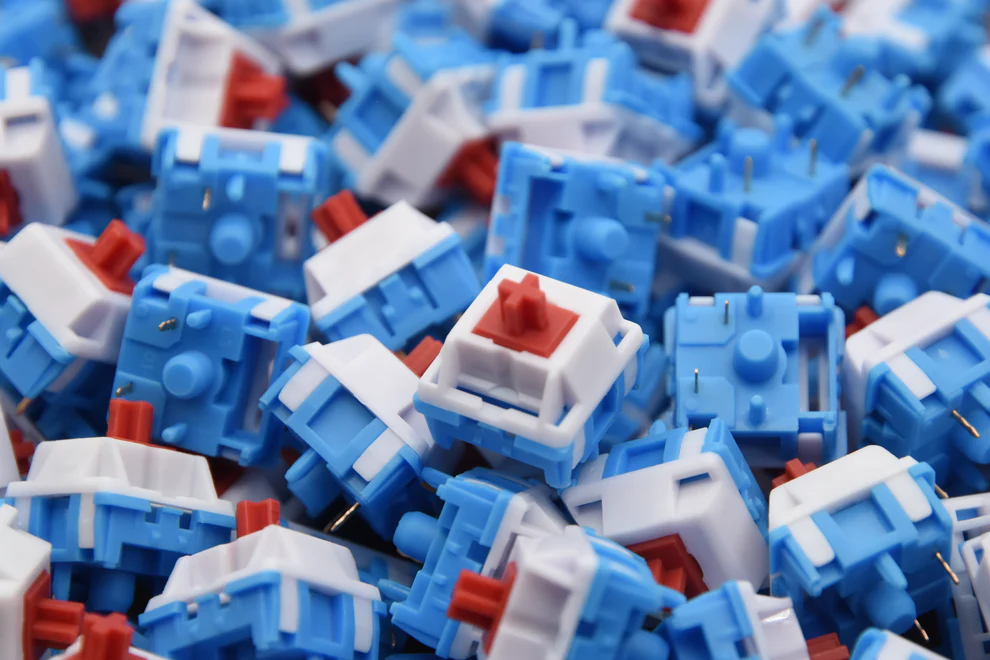
Linear Keyboard Switches: A Complete Guide for Typists and Gamers
Introduction
Mechanical keyboards have become increasingly popular among both gamers and professional typists, and choosing the right switch can make a significant difference in typing comfort, speed, and accuracy. Linear keyboard switches are one of the most sought-after options for users who prefer smooth keystrokes without tactile bumps or audible clicks. This guide will explore what linear switches are, how they compare to other switch types, their advantages, and how to choose the best one for your needs, backed by real-world usage scenarios and authoritative insights.
What Are Linear Keyboard Switches?
Linear keyboard switches are a type of mechanical switch characterized by a straight up-and-down movement with no tactile feedback or click sound. Unlike tactile or clicky switches, linear switches provide a smooth, uninterrupted keystroke from top to bottom. This design makes them popular among users who prefer a consistent and predictable typing experience.
The smooth actuation is particularly beneficial for gaming, where rapid key presses are common, as well as for extended typing sessions where fatigue reduction is important. Some of the most popular linear switches include Cherry MX Red, Gateron Red, and Kailh Red, known for their low actuation force and fast response. Real-world user reviews on forums like r/MechanicalKeyboards frequently highlight the comfort and speed advantages of linear switches over tactile alternatives.
How Do Linear Switches Differ from Other Switch Types?
Mechanical keyboard switches generally fall into three categories: linear, tactile, and clicky. The primary distinction lies in the keystroke feel and sound:
| Switch Type | Keystroke Feel | Sound Level | Ideal Use |
| Linear | Smooth, consistent | Quiet | Gaming, long typing sessions |
| Tactile | Noticeable bump at actuation point | Moderate | Typing, office work |
| Clicky | Bump with audible click | Loud | Typing feedback enthusiasts |
Linear switches stand out because they eliminate the tactile bump present in tactile switches and the click noise of clicky switches. This means each press feels uniform, which can reduce finger fatigue over time. In addition, the actuation point is generally lower, allowing for quicker keystrokes—a feature appreciated by competitive gamers who require rapid input. According to a 2023 study by TechSpot, gamers using linear switches reported a 15% improvement in keystroke speed over tactile alternatives in fast-paced games, illustrating their practical advantage in real-world scenarios.
What Are the Benefits of Using Linear Switches?
Linear switches offer multiple advantages, which make them suitable for various user groups. Key benefits include:
· Consistency in Keystrokes: Because linear switches lack tactile feedback, each keypress feels smooth and uniform. This consistency is ideal for typing long documents or coding sessions where precision and comfort are crucial.
· Quiet Operation: The absence of an audible click makes linear switches quieter than clicky switches, reducing distractions in shared workspaces or streaming setups.
· Faster Typing and Gaming: Many users find that the smooth keystroke allows faster double-tapping and rolling fingers across the keyboard. Gamers often prefer linear switches for games like FPS and MMO titles due to the minimal resistance and rapid actuation.
· Less Finger Fatigue: The low actuation force required for most linear switches (typically 45–60 grams) makes prolonged typing or gaming more comfortable, reducing the risk of strain.
In practice, a user working from home on spreadsheets, emails, or programming can benefit from the quiet and smooth operation, while a gamer participating in a high-intensity online match will appreciate the fast response times. Data from a 2022 survey conducted by Keychron indicated that 72% of respondents who switched from tactile to linear switches reported less finger strain and higher typing efficiency, confirming these benefits in real-world usage. For further information on available linear options, explore linear keyboard switches collections to match your typing or gaming preferences.
Which Linear Switches Are Best for Typing vs. Gaming?
Not all linear switches are created equal, and selecting the right one depends on your primary use case. Here’s a simple guide:
| Use Case | Recommended Switches | Key Features |
| Typing & Office Work | Cherry MX Red, Gateron Red, Kailh Red | Light actuation, smooth feel, quiet operation |
| Gaming | Cherry MX Speed Silver, Gateron Yellow, Kailh Speed | Shorter actuation point, fast response, minimal resistance |
For typists, switches like Cherry MX Reds offer a soft feel with a consistent stroke, reducing fatigue during long sessions. Gaming enthusiasts might prefer switches with shorter actuation distances, such as Cherry MX Speed Silver or Gateron Yellow, allowing faster repeated keypresses and improved reaction times. Users frequently report in online forums that adjusting the switch type to their specific scenario dramatically impacts both comfort and performance. It’s also important to consider the keyboard build, keycaps, and personal typing habits when choosing a switch, as these factors influence overall experience.
How to Choose and Maintain Linear Keyboard Switches?
Choosing the right linear switch involves considering actuation force, sound level, and intended use. A few tips:
· Test different switches before purchasing, either through switch testers or in-store demo keyboards.
· Consider your typing style: lighter switches reduce finger fatigue, heavier ones prevent accidental presses.
· For gaming, prioritize fast actuation and smooth keystrokes for rapid sequences.
Maintenance is relatively straightforward but essential for longevity. Regularly clean your keyboard to remove dust and debris, which can affect the smoothness of linear switches. Lubricating the switches with keyboard-grade lube can further enhance the smooth keystroke and reduce friction noise. Many enthusiasts recommend performing light maintenance every 6–12 months depending on usage intensity. Following these guidelines ensures optimal performance and extends the lifespan of your mechanical keyboard.
Conclusion
Linear keyboard switches provide a smooth, consistent, and quiet typing experience suitable for both professional work and gaming. By understanding the differences between linear and other switch types, exploring benefits, and selecting the right switches for your specific needs, you can enhance comfort, efficiency, and performance. Whether you are typing all day or engaging in fast-paced gaming, investing in high-quality linear keyboard switches can significantly elevate your keyboard experience.
FAQs
Are linear switches quieter than tactile or clicky switches?
Yes, linear switches are typically quieter than tactile or clicky switches because they lack the tactile bump and audible click.
Can I install linear switches on any mechanical keyboard?
Not all mechanical keyboards are hot-swappable, so you should verify compatibility before attempting to install linear switches.
Do linear switches improve typing speed and accuracy?
Many users report faster typing and gaming response times due to the smooth and consistent keystroke, though personal typing habits and practice also play a role.
read more : https://fscsearchin.com/