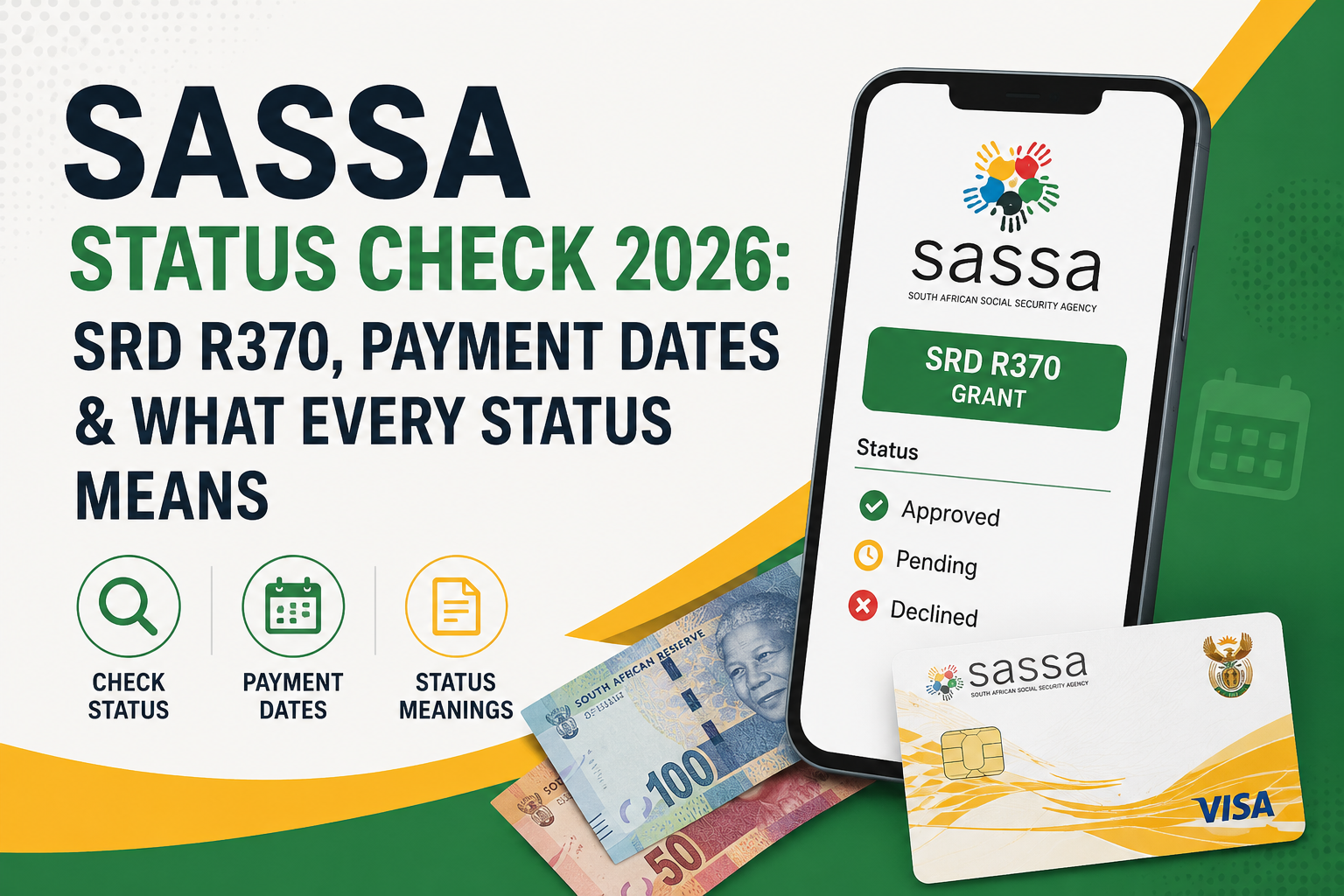
SASSA Status Check 2026: SRD R370, Payment Dates & What Every Status Means
What Is a SASSA Status Check — and Why Does It Matter?
A SASSA status check is how you find out exactly where your grant application or monthly SRD assessment stands in the official system. It tells you whether your application is still being processed, whether you have been approved or declined for a specific month, whether your payment is on its way, and — critically — why something went wrong so you can fix it.
The srd status check itself does not solve problems. It is a diagnostic tool. Knowing your exact status and matching it to the correct meaning is the first step toward getting paid or fixing a rejected application.
There are two completely separate status systems:
- SRD R370 Grant: checked month-by-month on the official SRD portal at https://srdstatuscheckonline.co.za/
- Other Social Grants (Older Persons, Disability, Child Support, etc.): tracked via the SASSA services portal at services.sassa.gov.za
Using the wrong portal for your grant type is one of the most common mistakes people make. This guide covers both systems in full detail
How to Check Your SASSA SRD R370 Status {#srd-status-check}
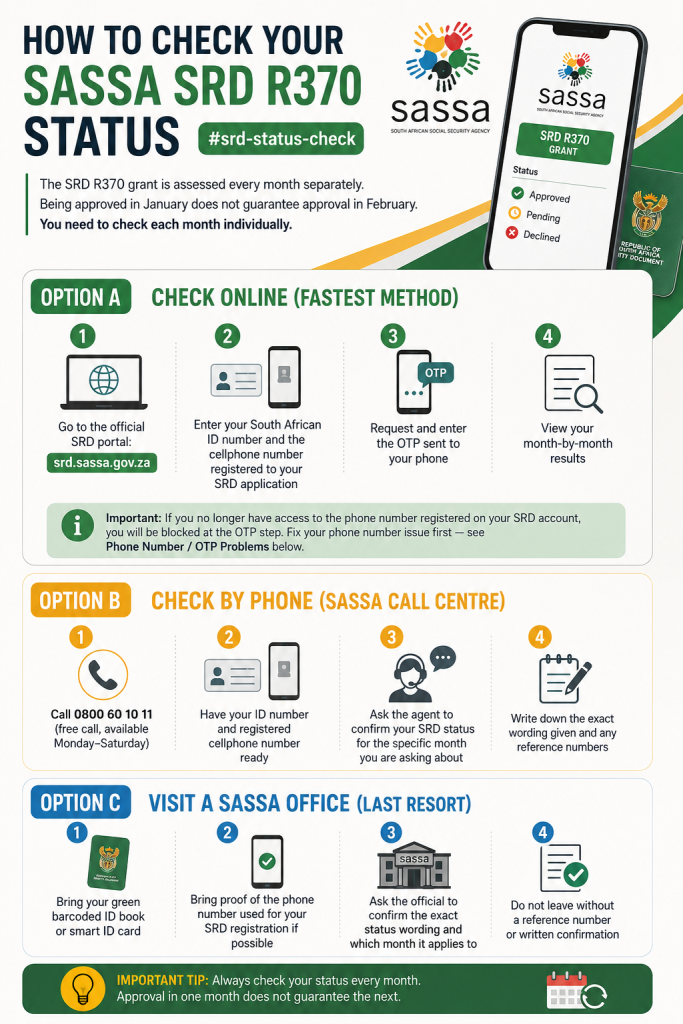
The SRD R370 grant is assessed every month separately. Being approved in January does not guarantee approval in February. You need to check each month individually.
Option A: Check Online (Fastest Method)
- Go to the official SRD portal: srd.sassa.gov.za
- Enter your South African ID number and the cellphone number registered to your SRD application
- Request and enter the OTP sent to your phone
- View your month-by-month results
Important: If you no longer have access to the phone number registered on your SRD account, you will be blocked at the OTP step. Fix your phone number issue first — see Phone Number / OTP Problems below.
Option B: Check by Phone (SASSA Call Centre)
If the portal is down or you cannot access it online:
- Call 0800 60 10 11 (free call, available Monday–Saturday)
- Have your ID number and registered cellphone number ready
- Ask the agent to confirm your SRD status for the specific month you are asking about
- Write down the exact wording given and any reference numbers
Option C: Visit a SASSA Office (Last Resort)
If both online and phone options fail:
- Bring your green barcoded ID book or smart ID card
- Bring proof of the phone number used for your SRD registration if possible
- Ask the official to confirm the exact status wording and which month it applies to
- Do not leave without a reference number or written confirmation
2. How to Check SASSA Application Status for Other Grants {#other-grants-status}
For the Older Persons Grant, Disability Grant, Child Support Grant, Foster Child Grant, Care Dependency Grant, and Grant-in-Aid, SASSA uses a separate system.
Check Application Status Online
- Go to services.sassa.gov.za
- Log in or register with your personal details
- Select “Track Application” from the home screen
- Enter your reference number and/or ID number
- Note the exact status wording shown
Your application date is counted from when SASSA receives all required supporting documents — not from when you first filled in the form.
Check by Phone
Call 0800 60 10 11 and tell the agent:
- Which grant you applied for
- Your ID number
- Your reference number (if you have it)
- The approximate date you applied
3. What Every SRD Status Result Means {#srd-status-meanings}
✅ Approved
Your SRD R370 application was approved for that specific month. This means SASSA verified you met the eligibility requirements for that assessment period.
What to do next:
- Check whether a personal pay date appears on the portal for that month
- If approved but no pay date shows, the payment has not been scheduled yet — check again in a few days
- If approved but still unpaid after your pay date has passed, update or confirm your banking details
⏳ Pending
Your application is still being assessed for that month. This is normal in early stages of processing.
What pending usually means:
- SASSA is still cross-checking your ID, income, and other databases (UIF, NSFAS, SARS, DPSA)
- Your application is queued for verification
- In some cases, it means a verification system is temporarily unavailable
What to do:
- Wait at least 10 business days before worrying
- If still pending after 30 days, call the call centre for an update
- Do not reapply — it will not speed up the assessment
❌ Declined
You were not approved for that specific month. A decline always comes with a stated reason. Never take action before you know the exact reason — acting on the wrong assumption can make things worse.
See the full breakdown of decline reasons in Section 6 below.
🔄 Reapplication Required
Your SRD application from the previous period has expired or lapsed. You must submit a new SRD application for the current grant period.
What to do:
- Go to srd.sassa.gov.za and submit a fresh application
- Do not assume your old application carries over automatically
- After reapplying, check your new monthly results as a fresh applicant
4. What Every Application Status Means for Other Grants {#application-status-meanings}
Application Submitted
SASSA has received your application. It is now in the queue for assessment. No action needed yet unless told otherwise.
Application Assessed
SASSA has reviewed your application. A decision has been made or is being finalized. You should receive formal communication of the outcome.
Application Pending
Your application is actively being processed. Assessment is underway but not yet complete. Check back regularly.
Application Documents Outstanding
SASSA is missing one or more required documents. This is urgent. Upload or submit the missing documents as soon as possible via the services portal or at a SASSA office, or your application cannot proceed.
Common missing documents:
- Certified copy of ID
- Proof of residence
- Medical report (for Disability Grant)
- Birth certificate of child (for Child Support Grant)
- Bank account confirmation letter
Incomplete Application Saved
You started an application but did not complete it. Log back into the services portal and finish submitting the application with all required fields and documents.
5. SASSA Payment Dates 2026–2027 (Full Confirmed Schedule) {#payment-dates}
SASSA pays grants in a fixed order each month: Older Persons first, then Disability, then Children’s Grants. This order is consistent throughout the year.
Grant Amounts from April 2026
| Grant | Monthly Amount | Increase vs 2025 |
| Older Persons Grant (under 75) | R2,400 | +R80 |
| Older Persons Grant (75 and older) | R2,420 | Higher rate applies |
| Disability Grant | R2,400 | +R80 |
| Child Support Grant | R580 | +R20 |
| SRD R370 Grant | R370 | Unchanged |
Full 2026–2027 Payment Schedule
| Month | Older Persons | Disability | Children’s Grants |
| April 2026 | 02 April | 07 April | 08 April |
| May 2026 | 05 May | 06 May | 07 May |
| June 2026 | 02 June | 03 June | 04 June |
| July 2026 | 02 July | 03 July | 06 July |
| August 2026 | 04 August | 05 August | 06 August |
| September 2026 | 02 September | 03 September | 04 September |
| October 2026 | 02 October | 05 October | 06 October |
| November 2026 | 03 November | 04 November | 05 November |
| December 2026 | 02 December | 03 December | 04 December |
| January 2027 | 05 January | 06 January | 07 January |
| February 2027 | 02 February | 03 February | 04 February |
| March 2027 | 02 March | 03 March | 04 March |
Note on weekends and public holidays: If a payment date falls on a Sunday or a public holiday, SASSA typically pays the previous business day. Always check official SASSA announcements for confirmation.
Where to Collect Your Grant
Grants can be collected at:
- SASSA-approved retail pay points (Shoprite, Checkers, Pick n Pay, Boxer, USave)
- ATMs if your grant is linked to a SASSA Gold Card or your own bank account
- Post Office (where still available in your area)
- Your own bank account if you have updated your banking details
6. May 2026 SRD Payment Dates {#may-2026-srd}
The SRD R370 grant does not use a single fixed payment date for all beneficiaries. Unlike the Older Persons or Disability grant, SRD payments are released in batches, and each approved beneficiary receives a personal pay date shown on the official SRD portal.
Current May 2026 SRD status: As of May 2026, SASSA has not published a separate official SRD payment window for May. The main social grant dates (listed above) are confirmed, but SRD operates on a rolling personal schedule.
What you should do:
- Log into the official SRD portal at srd.sassa.gov.za
- Check your personal pay date field for May 2026
- If you are approved but have no pay date yet, check again daily — pay dates are released in batches
Warning: Websites listing “batch dates” for SRD are not official SASSA announcements. Only your personal pay date on the SRD portal is reliable.
7. SRD Declined: What Each Reason Means {#srd-declined-reasons}
A decline for one month does not mean your entire SRD account is closed. Each month is assessed independently. However, you must match the exact reason shown on the portal before taking any action.
Identity Verification Failed
Your personal details on the application do not match the details held by the Department of Home Affairs. This is one of the most common reasons for decline reasons.
Causes: Name spelling differences, surname changes after marriage or divorce, ID number errors, date of birth mismatches.
Fix: Visit your nearest SASSA office with your original ID document. A Home Affairs visit may also be required to correct records if the DHA file itself is incorrect.
Means Income Source Identified
SASSA’s cross-check found an income source in your name. This could be a salary, business income, or another payment source.
What to do: If the income identified is incorrect (wrong person, closed business, outdated record), gather evidence and request a review. If the income is real and exceeds the threshold, you do not qualify for that month.
Existing SASSA Grant
You are already receiving another SASSA grant (or are registered as a beneficiary of one). SRD cannot be received alongside most other SASSA grants.
Check: Confirm which other grant is active. If it is in error, contact SASSA to investigate.
NSFAS Registered
You are registered as receiving NSFAS (National Student Financial Aid Scheme) funding, which disqualifies you from SRD for that month.
If incorrect: Contact NSFAS directly to clarify your funding status, then contact SASSA with proof.
UIF Registered
SASSA found UIF (Unemployment Insurance Fund) benefits being received or contributions being made in your name.
Check: If you are not actively receiving UIF payments, obtain a letter from the UIF confirming your status and submit it to SASSA.
Government Payroll Registered
You appear on a government payroll database. This can happen due to old employment records or errors.
If incorrect: Obtain a letter from the relevant government department confirming you are no longer employed, and present it to SASSA.
Outside Qualifying Age
The SRD R370 grant is for applicants between 18 and 59 years old. Applicants 60 and older may qualify for the Older Persons Grant instead.
IPR5 Registered
A tax record (IRP5) showing income above the qualifying threshold was found in your name. If this is outdated (e.g. from a previous job), contact SARS to clarify your current tax status.
8. How to Update SASSA SRD Banking Details {#banking-details}
If you are approved but not receiving payment, incorrect or missing banking details are often the cause. Here is how to fix it:
Official SRD banking details update process:
- Go to srd.sassa.gov.za
- Log in with your ID number and registered phone number
- Navigate to the banking details section
- Enter your correct bank account details
- Confirm via OTP
Important rules:
- The bank account must be in your name — third-party accounts are not accepted
- SASSA will validate your account details against bank records before activating payment
- Allow up to a few processing days after updating before the change reflects
Payment methods available for SRD:
- Direct bank deposit (your own bank account)
- CashSend (if no bank account)
- Retail pay points (Shoprite, Pick n Pay, etc.) — for those without bank accounts
If you do not have a bank account, SASSA Pay Points remain the most reliable option. Bring your ID to your nearest registered pay point on or after your personal pay date.
9. SASSA Appeals: When and How to Appeal {#appeals}
When Should You Appeal?
An appeal is appropriate when you believe SASSA made an incorrect decision for a specific assessed month. Common valid grounds for appeal include:
- Your identity was incorrectly flagged (e.g. name mismatch that is not your fault)
- An income or benefit was incorrectly attributed to you
- A database error caused an incorrect decline
- Your circumstances changed between the decline and the appeal window
Appeals are NOT:
- A way to apply again after a legitimate decline
- A fast-track to get unpaid months released
- Guaranteed to succeed without fixing the underlying issue first
How to Submit an SRD Appeal
- Go to the official SRD appeals portal
- Enter your ID number and registered phone number
- Request and enter the OTP
- Select the month you are appealing
- State your grounds clearly and attach any supporting evidence
- Submit and note your reference number
Fix the issue first. If you were declined for identity verification failure, fix the identity issue before or alongside your appeal. Submitting an appeal without fixing the root cause usually results in another decline.
How to Check Your Appeal Status
- Go to the official SRD appeals portal
- Log in with your ID number and phone number
- Open each month to see the outcome
Appeal outcome meanings:
| Outcome | What It Means |
| Pending | Your appeal is still being reviewed. Wait and check again. |
| Approved | Your appeal was successful. Payment will be processed for that month. |
| Declined | The original decision stands. The portal typically does not allow further appeal for that assessed month. |
After a Declined Appeal: What Can You Still Do?
A declined appeal on the SRD portal closes that route for the assessed month. However:
- You can raise a complaint with ITSAA (Independent Tribunal for Social Assistance Appeals)
- You can contact the Black Sash or Legal Aid South Africa if you believe there has been a rights violation
- Your future monthly applications are not affected by a declined appeal on a previous month
10. Identity Verification Problems {#identity-verification}
Identity verification is one of the most common reasons for SRD declines and application delays across all grant types. SASSA cross-checks your details against the Department of Home Affairs database, and any mismatch — even a small one — can cause a failure.
Common Identity Verification Problems
| Problem | Likely Cause | Fix |
| Name mismatch | Spelling difference between application and DHA records | Visit SASSA office with original ID |
| Surname mismatch | Marriage/divorce not updated at Home Affairs | Update records at DHA first |
| ID number error | Typo during application | Correct on SRD portal or at SASSA office |
| Date of birth mismatch | Old records at DHA are incorrect | Visit DHA to correct source record |
| Deceased flag | ID incorrectly flagged as deceased at DHA | Urgent DHA visit required with proof of life |
The DHA record is the source of truth for SASSA. Even if your own documents are correct, if the DHA system has an error, SASSA will decline based on what DHA says. Fix the DHA record first.
11. SASSA Contact Details {#contact-details}
| Channel | Details |
| SASSA Call Centre (Free) | 0800 60 10 11 |
| Official SRD Portal | srd.sassa.gov.za |
| Official Services Portal | services.sassa.gov.za |
| Official SASSA Website | sassa.gov.za |
| Operating Hours | Monday–Saturday (call centre) |
When you call, have ready:
- Your full name
- Your SA ID number
- The cellphone number registered on your grant
- The specific month and status you are asking about
- Any reference numbers from previous interactions
12. Avoiding SASSA Scams {#scam-warnings}
Scammers specifically target SASSA grant applicants and beneficiaries. Here is what to watch for and what to do.
Red Flags — Signs of a Scam
- Fees to “release” your payment. SASSA never charges fees. Anyone asking for payment to unlock a grant result is a scammer.
- Requests for your OTP, PIN, or banking password. Never share these with anyone — including someone who claims to be a SASSA official.
- Calls claiming your grant is “ready” but you need to verify first. Hang up and call 0800 60 10 11 yourself.
- Links sent via WhatsApp or SMS asking you to “verify” your status. Only use srd.sassa.gov.za and services.sassa.gov.za directly.
- Third-party websites claiming to check your status. The only official SRD check is on srd.sassa.gov.za.
- Social media ads offering to “apply on your behalf.” These often steal your personal information.
What to Do If Targeted
- Do not pay anything
- Do not share any OTP, PIN, or banking details
- End the call or close the website immediately
- Report the scam to SASSA at 0800 60 10 11 and to the South African Police Service
13. Frequently Asked Questions {#faqs}
How long does it take for SASSA to process an SRD application?
Initial SRD applications typically take between 10 and 30 business days to be assessed. Monthly re-assessments can take less time. If yours has been pending for longer, call the call centre at 0800 60 10 11.
Can I receive both SRD and another SASSA grant at the same time?
No. If you receive any other SASSA social grant, you are not eligible for SRD for that same month. This is one of the most common reasons for decline reasons.
What happens if I miss my personal SRD pay date?
Your payment should still be accessible. Go to your registered pay point (Shoprite, Pick n Pay, etc.) or check your bank account. If it is not there after a few days, call SASSA.
My appeal was declined. Can I appeal again?
For the same assessed month, the SRD portal typically does not allow a second appeal submission. However, you can escalate to ITSAA for a formal independent review.
How do I know if my banking details update was successful?
Log back into the SRD portal 24–48 hours after updating. Your new banking details should reflect in the system. If your next payment still fails, contact SASSA.
I moved provinces. Do I need to update my SASSA details?
For SRD, your registered address affects some eligibility checks but the main requirement is financial means-testing. Contact SASSA if you have moved to ensure your records are current.
What is the SRD R370 grant and who qualifies?
The Social Relief of Distress (SRD) grant pays R370 per month to South African citizens, permanent residents, and refugees between the ages of 18 and 59 who are not employed, not receiving any other SASSA grant, not receiving NSFAS funding, and whose income and assets fall below the qualifying threshold set by SASSA.
Why does my SRD status show “Approved” but no pay date?
Your payment has been approved but has not yet been scheduled in the payment batch for that month. Pay dates are released progressively. Check the portal again daily — your personal pay date should appear within days of approval.
Can someone else collect my SASSA grant on my behalf?
In limited circumstances, a registered procurator can collect on your behalf. This must be formally registered with SASSA — it is not something anyone can do informally. Allowing someone else to collect on your behalf without this arrangement is against SASSA rules and is a common avenue for fraud.