
How to Get a Residence Certificate from Nadakacheri 5 in Karnataka
Nadakacheri 5 is the latest online portal launched by the Karnataka government to make certificate services easier and faster. Through this portal, you can apply for a Residence Certificate online without visiting government offices multiple times. You can also use the Nadakacheri Status feature to track your application anytime.
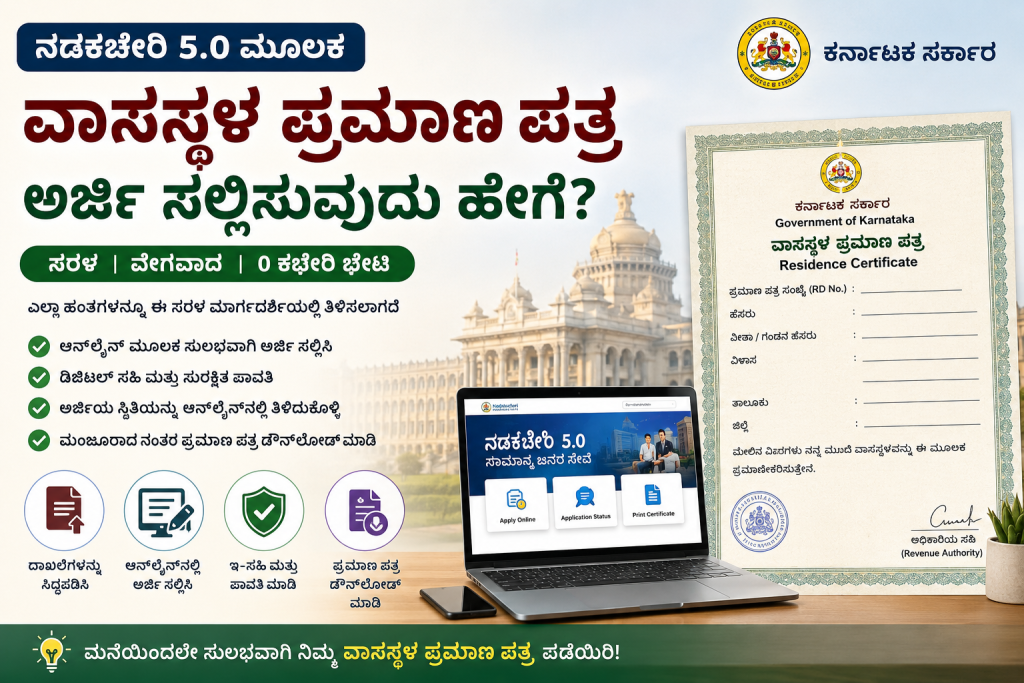
A Residence Certificate is an official document that proves your current address in Karnataka. It is commonly required for school or college admissions, opening bank accounts, applying for government schemes, obtaining a driving license, and many other official purposes.
The best part is that Nadakacheri 5 has made the process simple and mostly paperless. With an internet connection, a mobile number, and the required documents, you can complete most of the application process from the comfort of your home.
What is a Residence Certificate?
This certificate shows your current home address. It is also known as Vasa Sthala Pramana Patra. It is mainly for local address proof. It is different from the domicile certificate. The domicile one proves long-term stay in Karnataka for jobs and college seats. Choose the residence certificate if you need proof of where you live now.
Who Can Apply?
Any person living in Karnataka can apply. You need to show proof of your current address. There is no need for many years of stay. Your Aadhaar must be linked to your mobile number for login and digital signature.
Documents You Need
Prepare these papers before you start:
- Aadhaar card (must)
- Ration card
- Voter ID card
- Electricity or water bill (recent one)
- Rental agreement or house tax receipt
- Property papers if you own a house
- Passport size photo
- Birth certificate or school leaving certificate (sometimes needed)
Scan all documents and save them as PDF files. Each file should be clear and smaller than 200 KB. Have your mobile phone ready for OTP messages.
Full Step by Step Guide to Apply Online
Step 1: Open the Official Website
- Turn on your computer or phone. Open the internet browser. Go to https://nadakacheri.karnataka.gov.in/AJSK
- This is the safe official site. Do not use any other link.
Step 2: Login with Your Mobile Number
- On the home page, click on Online Application. Then click Apply Online.
- Choose English or Kannada language.
- Type your Aadhaar-linked 10-digit mobile number.
- Click Proceed.
- You will get a one-time password (OTP) on your phone. Enter the OTP to log in. There is no need for username or password.
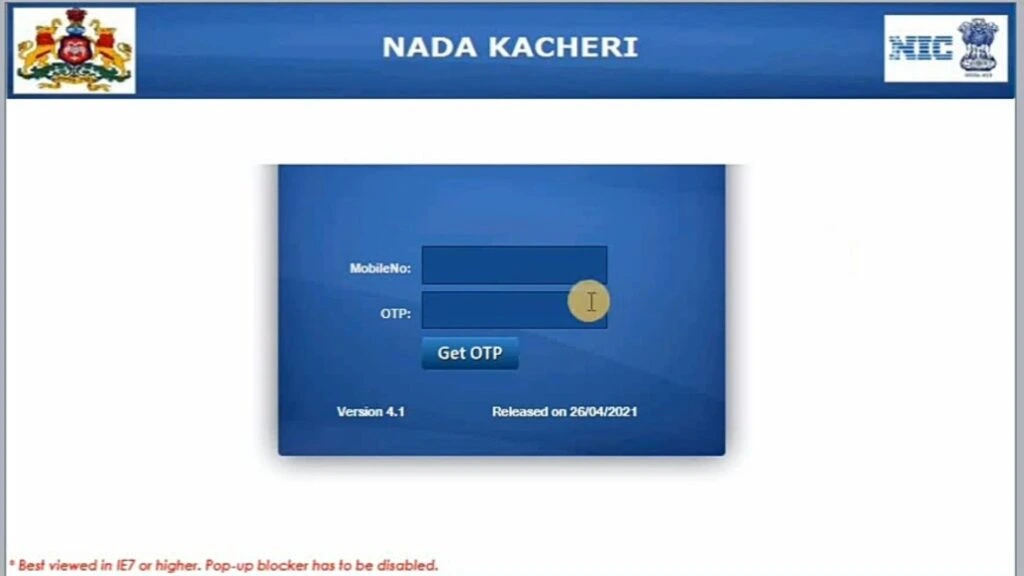
Step 3: Start a New Request
- After login, you will see the dashboard. Click on New Request.
- A list of services will show. Scroll and select Residence Certificate (Vasa Sthala Pramana Patra).
- Click to proceed to the application form.
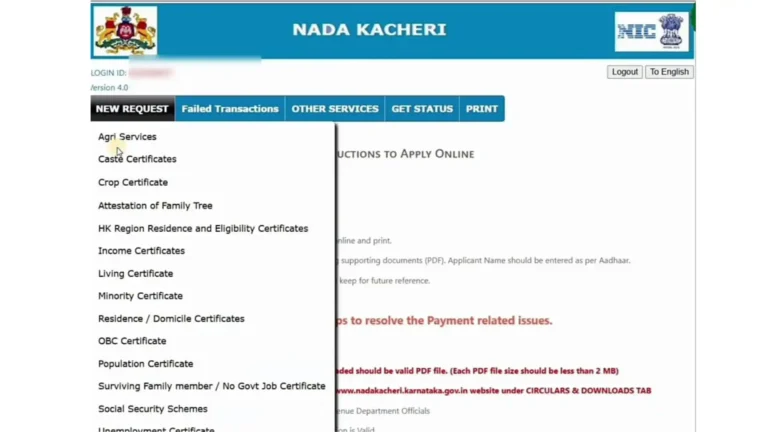
Step 4: Fill All Details in the Form
Carefully enter these details:
- Your full name as in Aadhaar
- Aadhaar number
- Complete address with house number, street, village or ward, taluk, and district
- Father or husband name
- Date of birth
- Mobile number and email (if any)
- Purpose for the certificate (example: school admission, bank work)
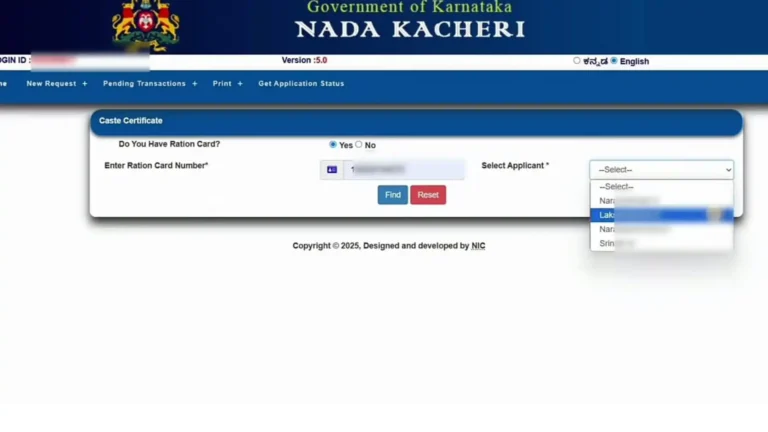
Select your taluk and ward correctly. The portal may show a list. If your ward is not listed, check the exact spelling or contact the local office. Upload scanned copies of all required documents one by one. Make sure the files are clear.
Step 5: Review the Application
- Click on the preview or review button. Read every detail again.
- Fix any mistakes now. Wrong information can lead to rejection.
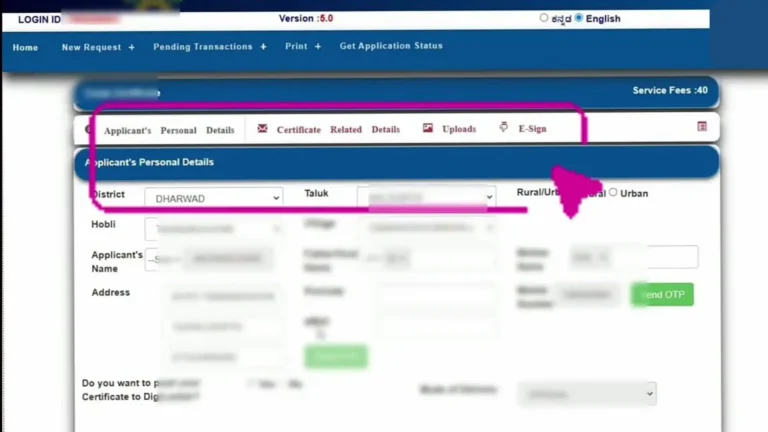
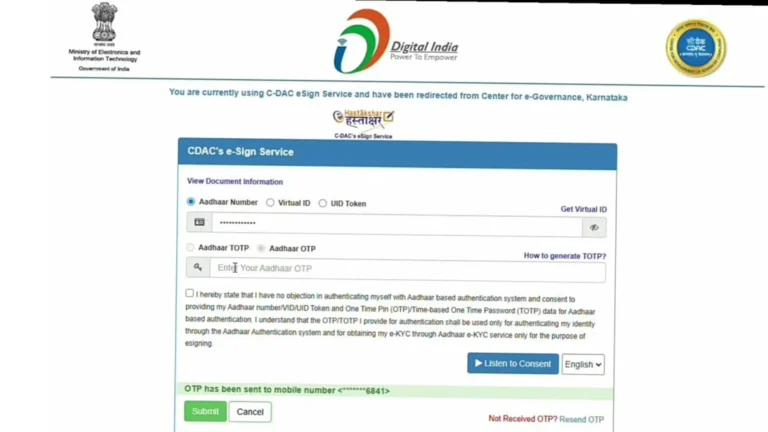
Step 6: Do E-Sign with Aadhaar OTP
- Click on the e-sign option.
- Enter your Aadhaar number if asked.
- You will receive another OTP on your mobile.
- Enter it to sign the form digitally. This is safe and works like your signature.
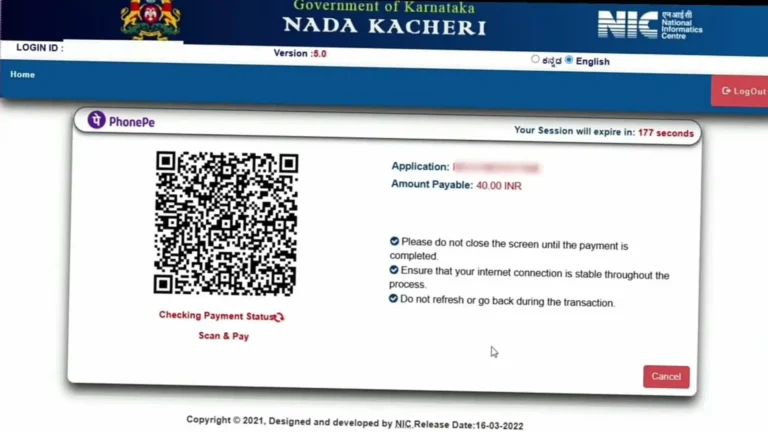
Step 7: Pay the Application Fee
- The fee is usually 25 rupees plus small service charges.
- Choose online payment methods like UPI, net banking, or debit card.
- Pay the amount. After successful payment, you will get an RD Number or acknowledgement number by SMS and on screen.
- Write it down safely. This number is very important for all future steps.
Step 8: Submit the Application
- Click the final submit button.
- Your application will go to the local revenue officials.
- You may get SMS updates at every stage.
After Submission – What Happens Next?
- Revenue officials like Village Accountant or Revenue Inspector might visit your house for quick verification. This is a normal step. They check your address and documents.
- The total processing time is normally 7 to 15 working days. Sometimes it takes longer if verification is needed.
How to Check Application Status
- Go back to the Nadakacheri website.
- Click on Application Status.
- Enter your RD Number and mobile number.
- You will see the current stage: pending, under verification, approved, or rejected.
- If rejected, read the remarks carefully. Fix the problems and apply again.
How to Download the Certificate
- When the status shows approved:
- Go to the Print Certificate or e-Kshana section.
- Enter your RD Number.
- Download the PDF file. Print it on A4 paper.
- You can reprint later if you lose it.
Tips for Success
- Use a laptop or desktop with good internet.
- Apply in the morning when the website is faster.
- Keep all documents ready in one folder.
- Take clear photos or scans. Blurry files cause rejection.
- Double-check name spelling and address. It must match your Aadhaar.
- Save screenshots of payment and RD number.
- Tell your family about this easy online method.
Common Problems and Easy Solutions
- OTP not coming: Wait 2 minutes and try again. Check mobile signals.
- Application rejected: Read the reason. Common reasons are wrong documents or mismatch in name. Apply fresh after correction.
- Status stuck for a long time: Visit your local Nadakacheri office with your RD number and ask for help.
- Ward not found: Search for your exact ward details on the portal or contact taluk office.
- Technical error: Clear browser cache or try another browser.
Offline Application Option
- If you cannot use the internet, go to your nearest Atalji Janasnehi Kendra (Nadakacheri center) in the taluk office.
- Take all original documents and copies.
- The staff will help you fill the form and submit it. Pay the fee there. The rest of the process is the same.
Benefits of This Certificate
This paper makes many official works easy. It helps in quick school admissions. Banks accept it for address proof. Government schemes use it. You feel confident when anyone asks for your residence proof.
Important Things to Remember
- Always use the official website only.
- The certificate is valid for a long time in most cases.
- Keep both soft copy (PDF) and hard copy safe.
- Update your Aadhaar details if the mobile number changes.
- For children below 18, parents can apply with their documents.
- Check the portal regularly for any new updates.
Conclusion
Getting a residence certificate through Nadakacheri 5.0 is simple and fast when you follow all steps carefully. Thousands of people complete it successfully every month. This online system saves your time and money. Prepare documents, follow the steps one by one, and finish the work from home. If you face any issue, visit the local office with your RD number. They will guide you.
Frequently Asked Questions (FAQs)
1. What is the fee for a residence certificate in Nadakacheri 5?
The application fee is usually 25 rupees plus a small service charge. You pay everything online during the process. The total amount is very low.
2. How long does it take to get the residence certificate?
It normally takes 7 to 15 working days. Sometimes it can take a few extra days if officials need to visit your house for verification. You can check Nadakacheri status anytime.
3. What should I do if my application is rejected?
Check the remarks in Nadakacheri status. Common reasons are wrong documents or name mismatch. Fix the problem and apply again with correct details. There is no extra penalty.
4. Can I apply for my child or other family members?
Yes, you can. Parents can apply for children under 18 years. Use the child’s details and attach supporting papers like birth certificate. Login is done with the parent’s Aadhaar-linked mobile.
5. Is the residence certificate valid all over India?
It is mainly valid in Karnataka for local needs. Many banks, schools, and offices across India accept it as address proof. For special cases like jobs in other states, check with the concerned office.