
Aadhaar Face RD App Download, Installation, Login and Usage Guide
Identity verification in India has become faster and more reliable with the Aadhaar Face RD App, launched by the Unique Identification Authority of India (UIDAI). Instead of carrying Aadhaar photocopies, citizens can now confirm their identity using secure face authentication on their smartphones.
The Aadhaar Face RD app is already being used in services like Jeevan Pramaan (Digital Life Certificate), Public Distribution System (PDS), scholarships, farmer welfare schemes, CoWIN vaccination portal, banks, and telecom. This guide covers how to download, install, login, and use the Aadhaar Face RD app on Android and iPhone, along with solutions for common errors.
What is Aadhaar Face RD App?
The Aadhaar Face RD app is an official government application that enables face-based Aadhaar authentication. Instead of fingerprints or iris scans, users can verify their identity by simply scanning their face on a supported device.
Entities involved:
- UIDAI: Developer and regulator of Aadhaar services.
- AUA/KUA (Authentication User Agencies / KYC User Agencies): Banks, telecom operators, and government departments that integrate Aadhaar authentication.
- Digital India Initiative: Aadhaar Face RD is part of the paperless, secure governance drive.
Aadhaar Face RD App Download Options
1- Aadhaar Face RD App Download for Android
- Available on Google Play Store.
- Search for Aadhaar Face RD and install.
- File size may vary depending on the version.
Aadhaar Face RD App for iPhone (iOS)
- Currently, UIDAI has prioritized Android support.
- iOS availability will depend on future updates.
- Check the UIDAI official website for announcements.
Aadhaar Face RD App APK Download
- Avoid third-party APKs for security reasons.
- Download only from UIDAI links or the Google Play Store.
Aadhaar Face RD App Download Outside India
For NRIs or residents abroad:
- Change Play Store region to India.
- Alternatively, visit UIDAI’s official site for download options.
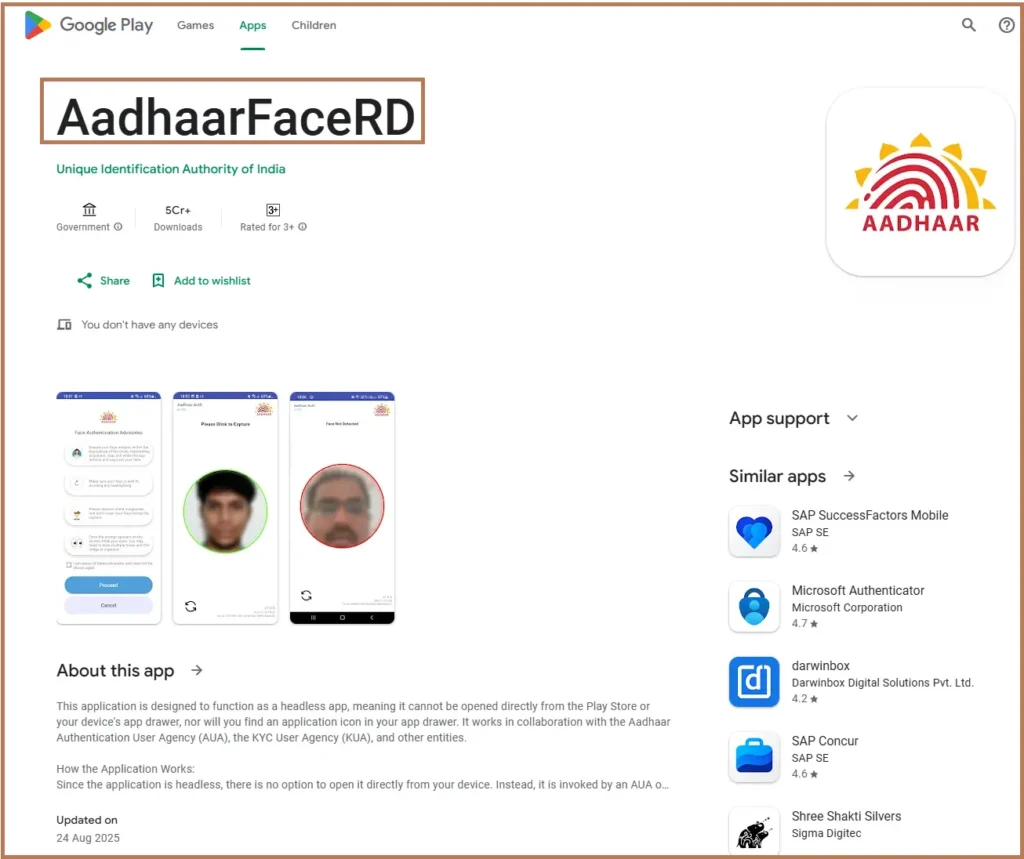
Aadhaar Face RD App Installation
How to Install Aadhaar Face RD App
- Open Google Play Store → Install the app.
- Grant permissions: Camera, internet.
- Open the app → enter Aadhaar number, captcha, OTP.
- Complete one-time device registration.
Aadhaar Face RD App Login
- Enter Aadhaar number.
- Verify via OTP (if required).
- Use the camera for face authentication.
How to Open and Use Aadhaar Face RD App
How to Open Aadhaar Face RD App
- Tap the icon on your home screen.
- Ensure stable internet and good lighting.
How to Use Aadhaar Face RD App
- Open the app.
- Enter Aadhaar details or scan QR provided by the service provider.
- Choose the data fields (name, DOB, address) you consent to share.
- Hold the device steady → look into the camera → blink to confirm liveness.
- UIDAI database verifies and authenticates instantly.
Applications of Aadhaar Face RD Authentication
- Jeevan Pramaan (Digital Life Certificate): Pensioners authenticate without visiting banks.
- Public Distribution System (Ration Shops): Ensures rations reach genuine beneficiaries.
- Scholarship & Education Schemes: Students verify identity for applications and disbursements.
- Farmer Welfare Programs: Direct benefit transfers to eligible farmers.
- CoWIN Vaccination Portal: Easy check-in and record verification.
- Banking & Finance: KYC for account opening, loan processing, and e-transactions.
- Travel & Hotels: Quick check-in without Aadhaar photocopies.
Aadhaar Face RD App Issues and Fixes
| Issue | Recommended Action |
|---|---|
| Aadhaar Face RD app not compatible with this device | Update Android to latest version. Use devices with Android 9.0 or higher. |
| Aadhaar Face RD app not working | Check internet connection. Update app from Play Store. Reinstall if the problem persists. |
| Face not detected | Ensure good lighting. Keep your face within camera frame. |
Security and Privacy
- UIDAI uses end-to-end encryption for every authentication.
- User consent is mandatory before data sharing.
- No Aadhaar information is stored on the device after verification.
- Regular audits ensure compliance with Indian data protection rules.
FAQs
Can I download Aadhaar Face RD app for iPhone?
Currently, it is primarily for Android. iOS version may come later.
Is Aadhaar Face RD app safe?
Yes, it is developed by UIDAI and follows strict security protocols.
Can I use Aadhaar Face RD app outside India?
Yes, but you may need to adjust your Play Store region or use UIDAI’s official APK link.
What to do if Aadhaar Face RD app login fails?
Check internet, update app, and ensure correct Aadhaar number.
How is it different from mAadhaar app?
1- mAadhaar stores Aadhaar digitally.
2- Aadhaar Face RD performs live authentication using your face.
Final Thoughts
The Aadhaar Face RD app has made Aadhaar authentication quick, paperless, and secure. Whether you are a pensioner filing a Jeevan Pramaan certificate, a student applying for a scholarship, or a customer completing bank KYC, this app ensures a smooth process.
With UIDAI’s Aadhaar Face RD app, your face becomes your Aadhaar identity — secure, private, and accepted across government and private services.